
Your quick checklist
How can a visitor choose an accountancy service and start a useful conversation?
Use this to keep your place while reading. Ticking a box does not send or change anything.
Words explained
- Service finder
- A set of questions that helps someone choose where to start.
- Service page
- A page explaining a particular service and what it covers.
Before you start
You can open the live GHZ Accountants website or see the phone and desktop views in my work gallery.
Finding the right accountancy service
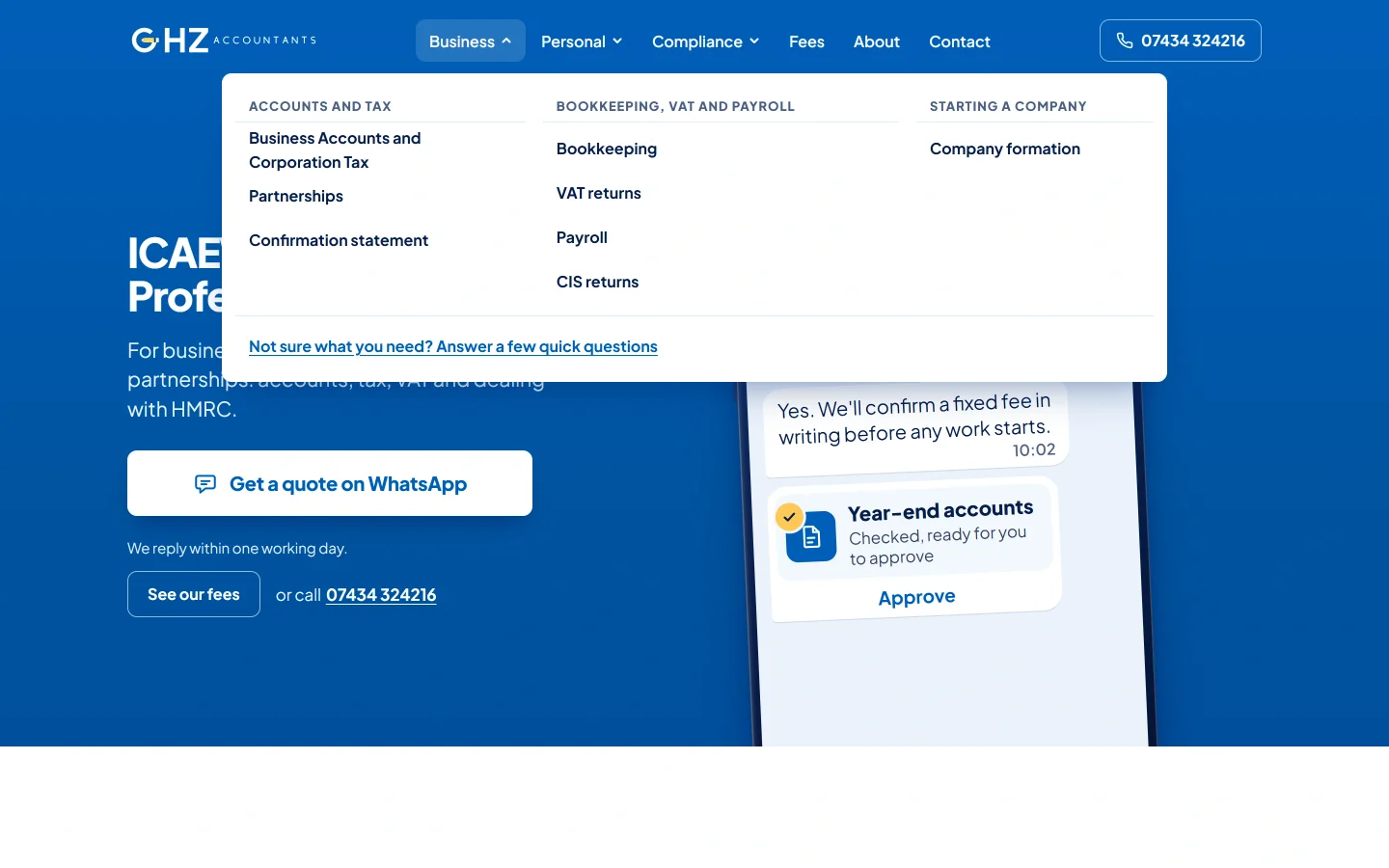
The homepage gives people different starting points based on their business type. A company owner can go straight to the Business Accounts and Corporation Tax page. A self-employed person can follow the Self Assessment link. These are the service names on the site; visitors can open a page to read what the work covers. The menu also links directly to other accountancy services.
Someone who knows the service name can reach its page through the menu. Someone who needs help choosing can use the finder. Its first question asks whether the work is for a business or for the visitor personally, with an option for someone who is unsure.
The next choices ask about the business and the work it needs. A final question lets the visitor add other services if needed. They can change their answers and use a prepared message to start a conversation. They do not have to work out how to describe everything in a blank message box.
Explaining the work before asking for an enquiry
The company-accounts page explains the separate documents and submissions involved in that service. It also says what the client needs to approve, which records the accountant needs and how to ask about the fee. A visitor can read the explanation even if they do not yet know the name of each document.
An owner can read that page before getting in touch and arrive with a more specific question. The page links to the wider fees explanation and provides a WhatsApp enquiry for company accounts. The service name is already in the message, so the visitor has a starting point for what to say.
The fees page shows starting prices alongside what they cover, then explains what affects the final price. Some services have a published starting price; others need a price based on the work involved. Someone comparing costs can read what the accountant needs to know before requesting a quote for their business.
What I checked
I checked the phone and desktop menus, plus the links to company accounts and fees. These are the routes a visitor needs when moving from the homepage to a service explanation and then to pricing information.
How I can help with your service website
If you sell several services, I can help organise them into pages customers can find and understand. Each page can explain what the service covers, who it suits and how to ask about it. When people need help choosing, a few questions can collect the details you would otherwise ask for in the first conversation.
For GHZ, that means business type, the accountancy work required and any extra services. For your business, we would agree the questions from the work you do and the information you need to quote.
I can plan the pages and menus, help write the agreed text, and design and build the website. We can include pricing information where you can publish it and a contact form that asks for useful job details. A finder like GHZ's is an extra feature we can discuss and price if a service list does not give customers enough help choosing.
Before the site goes live, I check the agreed menus, links and customer steps on phones and larger screens. If you already have a site, send the pages people struggle with. I can assess whether a smaller change or a wider redesign would suit the work, then give you a price for what we agree.